
Layout of forms
The basics of form layout
Creating a good-looking Form is a task with many facets. Inputs need to be labelled, their validation error messages need to be put somewhere and all of this must be neatly arranged.
To achieve this, the contents of a Form are added using a
FormLayout.
A FormLayout need not be applied directly to a Form itself. It can
also be applied to, say, a Div which
is a child of a Form. This makes the arrangement quite flexible,
since you could have different parts of a Form that are laid out
using different FormLayouts or even by different types of
FormLayout.
In the styled version of our address book example below, a
FieldSet is used to group a number of
Inputs together under a heading. Inputs are added to it by using a
FormLayout.
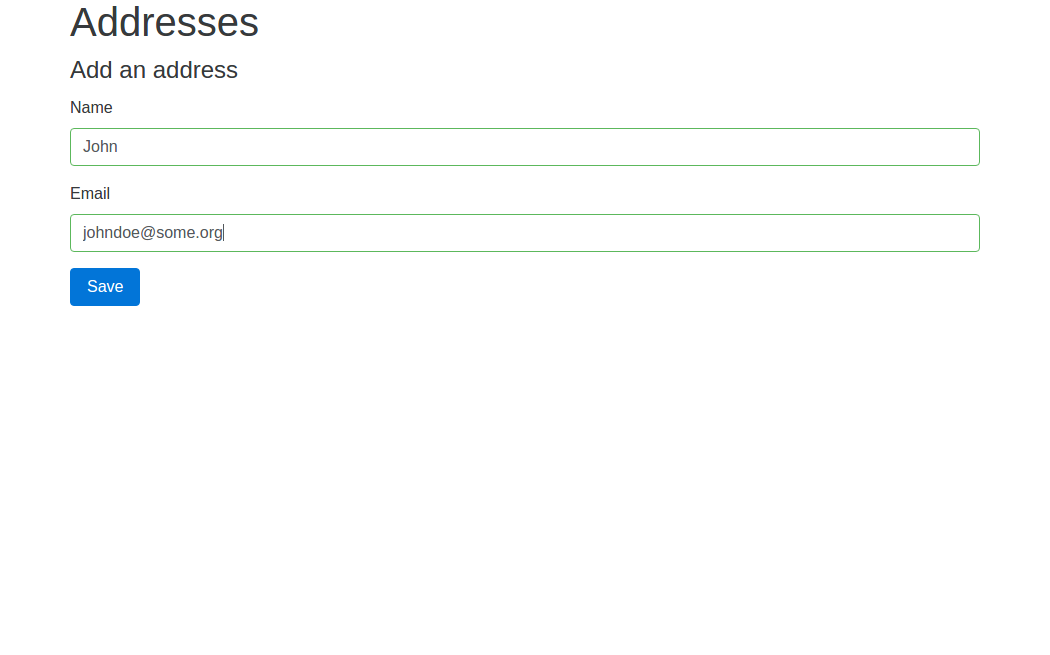
This produces a simple Bootstrap-styled form, with labels and inputs
stacked on top of one another, filling the whole width of their parent
regardless of the size of the user’s device. The FormLayout also
renders validation error messages in the right place when necessary
and highlights invalid user input by changing the colour of the
relevant Input.
class AddAddressForm(Form):
    def __init__(self, view):
        super(AddAddressForm, self).__init__(view, 'add_form')

        new_address = Address()

        grouped_inputs = self.add_child(FieldSet(view, legend_text='Add an address'))
        grouped_inputs.use_layout(FormLayout())
        grouped_inputs.layout.add_input(TextInput(self, new_address.fields.name))
        grouped_inputs.layout.add_input(TextInput(self, new_address.fields.email_address))

        self.define_event_handler(new_address.events.save)
        btn = grouped_inputs.add_child(Button(self, new_address.events.save))
        btn.use_layout(ButtonLayout(style='primary'))
add_input() has a number
of options to help you control how Inputs are added.
Here is a screen shot of the form:
Other ways of laying out forms
The InlineFormLayout arranges Inputs
and their labels flowing next to each other like words in text, whereas
GridFormLayout arranges Labels in
underneath each other in one column and their corresponding Inputs in
another column.